Users are disappointed over the announcement of the Apple MacBook Pro 2015 production stop

Apple MacBook Pro 2015
Apple just announced it has stopped production of its line of MacBook Pro laptops. The laptop in question is a MacBook Pro 15 inch Retina version 2015. Companies that also have deleted the Cupertino that product from its online store. Apple news stops the production of MacBook Pro version 2015 turned out to reap the negative reaction from Apple Fanboy.

According to them, the laptop is one of the best laptops Apple's ever produced. In November 2017, founder of Tumblr's Marco Ament also revealed expressions of annoyance toward the fate of the MacBook products.

In his uploads on Tumblr, initiator application Instapaper and Overcast that saying the best Apple MacBook turns out there in production period 2012-2015. While the Macbooks manufactured up to 2015, according to him instead of ' failed ' in the market.

 "Best MacBook that is the production of 2012-2015, a peak that's Yes in 2015. Thereafter no longer exists, "he said.

MacBook Pro Retina is one idea Steve Jobs before her death in 2011. MacBook Pro that was produced in the period 2012-2015 is present with a number of significant updates, such as a sleek design, lightweight, fast performance, and comes with an HDMI port and port Thunderbolt.

As for the latest Macbooks produced start 2016 and beyond, comes with a contrasting design.

The ASUS ZenBook UX331 is powered by an Intel 8th Generation processor and NVIDIA graphics card

ASUS ZenBook 13 UX331
ASUS re-released the ultrabook or thin laptop ZenBook series namely ASUS ZenBook UX331. ASUS claims this ultrabook lacks ultra-slim and ultra-powerful design.

The thickness of the ASUS ZenBook UX331 is 0.5 inches and weighs 1.55kg, with the screen size 13.3 inches Full HD resolution (1920x1080) and the brightness level reaches 300 knit. Bezel designed to have a thin thickness of 6.68mm so it has a ratio of screen to body up to 80 percent.

The displays have a color gamut color accuracy up to 100 RGB. According to the Country Marketing Manager of ASUS Indonesia, Galip Fu this ASUS ZenBook UX331 be ultrabook suited for video and photo editing needs.

The claim is supported specifications ASUS ZenBook UX331 with two variants of the Intel Core i7 and Core i5-8850U-8250U.

ASUS ZenBook 16 GB DDR4 variant supported UX331 and 8 GB of internal memory as well as the DDR4 available selection of 256 GB or 512 GB SSD SATA3 SSD SATA 3. NVIDIA graphics card on prepared MX150 2 GB GDDR5 VRAM.

For the I/O ports attached to possible one 3.5 mm jack for headphones and a microphone, a USB 3.0 port, one USB 2.0 port, an HDMI port, a port and a MicroSD card reader.

ASUS ASUS explains that the party ZenBook UX331 will be sold in three variants that are distinguishable from the types of processors and RAM capacity internal memory at once brought.

How to restore deleted or lost files on laptop

Recover Files
Many people start to panic as soon as they accidentally hit the delete button and lose important files like photos, videos, folders or other important documents on their laptops or computers. Things become more complicated if you accidentally delete important files from the recycle bin. Missing files or data may occur due to one of the following possibilities:

  • The file was mistakenly deleted.
  • Files that are corrupt and deleted by scandisk.
  • Another program deletes the file.
However, you should be aware of the various ways in which lost data can be back into your computer's hard drive. Before reviewing the recommendations and suggestions below, make sure that the file has actually been deleted, in some cases the file may have been moved. You can search the hard drive for files that you believe to be missing by running find or searching on the computer.

Restoring Files from Backup

If a file has been backed up to a floppy disk or other media such as a flash it is recommended that the file is restored the backup if the file can not be found.

Restoring Deleted Files from Recycle Bin

If you are running Apple MacOS, Microsoft Windows and newly deleted files it is possible that the file is still possible in Trash or Recycle Bin.

If it still exists, then the file can still be restored. By default when a file is deleted in Microsoft Windows, it is automatically sent to the Windows Recycle Bin. In that case, it should be returned if the file is erroneously deleted. Here are simple steps that can be followed to recover files if they are mistakenly deleted.

1. Go to Desktop where you can see Recycle Bin icon.

2. Double-click on the Recycle Bin icon to open a window that displays all the files in the Recycle Bin. If no file is visible skip to the paragraph below.

3. To restore any of the deleted items you can follow the steps below.


  • Highlight the file you want to restore, right-click the file and select Restore option. This will restore the files from the original location it was deleted.
  • Highlight the file you want to restore, right-click the file and select Cut. Next, switch to the location you want to move the deleted items and click Paste.
  • Drag-and-drop from Recycle Bin to the folder you want to save.

If the Recycle Bin is empty you may have activated Windows to not send the file to the Recycle Bin or it is more likely that the Recycle Bin has been emptied by you or someone else who uses the computer. If the file is visible in the Recycle Bin but not the old file you are looking at the possibility that the older file has been deleted to make room for other deleted files.

When a file is deleted even when deleted from Recycle Bin the files are marked as deleted, but not deleted from the hard drive. Assuming no other files have overwritten deleted files on the hard drive recovery program can be used to restore deleted files. Below are some freeware file recovery programs that can be used for free to restore lost data:

1. Recuva
2. Restoration
3. Undelete Plus

I hope the way I have been able to be useful to you and can help you all.

Good luck.

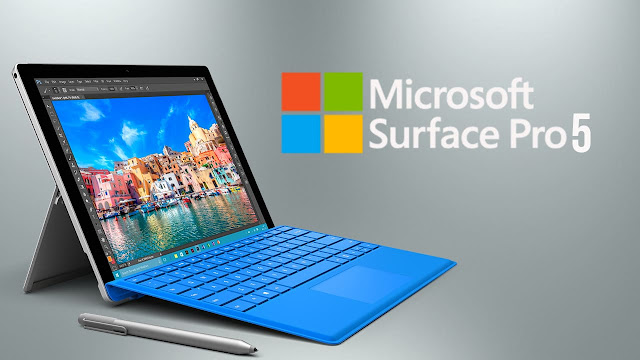
Microsoft is rumored to be overhauling the design of Surface Pro which was launched next year

Microsoft Surface Pro 5
Surface Pro design has not changed much in recent years. Surface Pro that Microsoft mid-2019 last year only increased the specifications of the laptop with little change in the body of the laptop itself.

While the model that Microsoft launched this year just get an additional optional LTE antenna for mobile connectivity.


Microsoft will "overhaul" the design of Surface Pro 6, which is rumored to be launched in mid 2019. Reportedly, Microsoft will add USB-C / Thunderbolt 3 port on the laptop.

Resource persons also confirmed the rumor that says that Microsoft will introduce the tablet Surface with a smaller size and more affordable price this year. The tablet will compete with Apple's iPad.


In addition, reportedly, Surface Hub 2 50-inch touchscreen computer from Microsoft will also be launched next year. This year, it is possible, Microsoft will release Surface Pro and Surface new Laptop with Intel 8th generation processor.

Another rumor is that Microsoft will introduce a tablet with two screens this year. The device was not impossible to make. Not long ago, Intel has exhibited a prototype Tiger Rapids with two screens.

Gaming laptops remain the focus of MSI at Computex 2018

MSI Computex 2018
Computex 2018 technology event was officially held in Taipei, Taiwan, 5-9 June 2018. This is an international exhibition involving a number of technology companies, the majority of whom are from Taiwan. As an annual participant, MSI again showcased a number of their product innovations, one of them from the gaming laptop segment.

MSI party mentions gaming remained a very noteworthy segment this year. In Computex 2018, they showcased GS65 Stealth Thin.

This is the latest generation of MSi gaming laptops that emphasize thin dimensions with a compelling performance. What's interesting is the gold coloring that replaces red, making it look more elegant.

And GS65 Stealth Thin is already using the 8th Generation Intel processor and NVIDIA Max-Q graphics card, "said Stanley Lin, Notebook Marketing Manager of MSI Indonesia.


MSI GS65 Stealth Thin features a 15.6-inch thin bezel screen, which has adopted a refresh rate of 144Hz thanks to NVIDIA G-Sync, and GeForce GTX 1070 or GTX 1060 GPUs.

MSI parties ensure that the weight remains in the light category, about 1.88 kg. One aspect emphasized is the battery life that claimed longer, reaching eight hours.

The next laptop display is MSI GF63. This laptop is included in the mainstream class which is equivalent to the GL line. The main target is the esport market, which requires not too premium specifications but is capable of displaying the visual at the right refresh rate.

Its overall dimensions are not as thin as the GS clump, but inside it still offers interesting specs. MSI GF63 comes in two variants, using the 8th generation Intel processor with an optional NVIDIA GeForce GTX 1050 or GTX 1050 Ti graphics card.
 
MSI GE63 Raider RGB becomes the next laptop that emphasizes RGB accents on the rear body. Enter into the mainstream class, this gaming laptop carrying 15.6-inch screen with a choice of FHD and UHD resolution. And the graphics card uses the GTX 1070 series.

How to speed up the performance of laptop and computer

How to speed up laptop
How to speed up the performance of a computer or laptop. Having a computer that performs slowly of course very test our patience.

Actually, to overcome the computer or laptop that tend to progressively slowly its performance, you just need to do maintenance regularly and also do some things that I will explain one by one in this article.

To overcome the performance of computers or laptops are getting slower, do some of the things below to help speed up the performance of your computer or laptop.

1. Increase the capacity of RAM and Harddisk

Multitasking process that is too heavy to cause the performance of a computer or laptop to be slow. Adding more RAM capacity is the best choice to speed up the performance of a computer.

Note also the capacity of your hard drive. If it is almost full (for example 10GB left), no wonder if your computer or laptop slow down. I suggest you increase the hard drive capacity and if you have more funds, there is no harm in buying SSD to improve the performance of your computer or laptop.

2. Remove garbage files in Recycle Bin

The junk files can slow down the performance of a computer or laptop, so you should just delete them. Check first the file, if it really is not needed, please remove it by right click Recycle Bin icon then select Empty Recycle Bin.

3. Do not forget to install Antivirus

Make sure you have installed Antivirus. As we know that the average virus including malware and spyware cause the performance of a computer to be slow and can also damage our data or files. In addition you must install the right antivirus, not antivirus which even slow down the performance of your computer or laptop.

4. Turn off the program is not important

Not so very important but has a big effect on PC performance acceleration especially during Stratup process, a kind of unused program or application but piling up and running on desktop make your computer become very hard to run.

Usually Users who do not notice it will feel trivial, but if seen again this is one factor that causes the boot process to be very very long on the operating system.
Re-check the software that wants to be turned off so as not to experience no respond.   

Read Also:

The 5 Best Ultrabook And The Slimmest Premium By 2017

If you think the MacBook Air or the latest MacBook Pro is the thinnest laptop in the world, you could be mistaken. Not only the MacBook, the proof is now a lot of new laptops come with sleek thin design, even lighter weight of the laptop made by Apple. Laptops of this kind are often referred to by the term "ultrabook".

Though slim, the ultrabook is actually armed with a high specification that helps its performance race faster. Not only is it different from ordinary laptops that use HDD, ultrabook carrying the SSD with low power consumption.

Interestingly again, ultrabook usually carries a unibody design wrapped in aluminum material that makes it look more premium.

Here are the 5 thinnest ultrabooks in 2017.

1. Dell XPS 13

Dell XPS 13

XPS 13 is a 2-in-1 premium Ultrabook made by Dell. Ultrabook is claimed as the world's smallest 13-inch sailing device, weighing 1.29 kilograms and 1.3 cm thinness.

This device comes with InfinityEdge touch screen, which comes with a thin bezel. XPS 13 also has a 360-degree hinge, so it can be enabled in four modes of use.

XPS 13 is claimed to last up to 8.5 hours in a single charge for normal use. Running with Windows operating system 10, XPS 13 also comes with new features like Windows Ink and Windows Hello.


XPS 13 is designed without fan (fanless). Even so, Dell makes sure this laptop will not have excessive heat (overheat) and free of noise like a device equipped with a fan.

The main components that support the performance of XPS 13 is the seventh generation Intel Core processor and 16GB RAM. While the storage memory XPS 13 2-in-1 is a 512GB SSD.

In addition, this ultrabook is made from premium materials, such as processed aluminum engine, carbon fiber, and Corning Gorilla Glass. Dell also complements the needs of ultrabook users with the Dell Active Pen stylus. Related prices, XPS 13 is priced $ 2000.

2. Asus ROG Zephyrus

Asus ROG Zephyrus

Zephyrus claimed to have gaming desktop class performance, but still ultra slim design like ultrabook. This laptop comes with advanced hardware components and an innovative cooling system.

ROG Zephyrus is also the thinnest gaming ultrabook ever made by Asus, and the most powerful. Just as thick as 1.8 cm and weighs 2.24 kg, Zephyrus already uses Intel Core i7-770HQ processor and Nvidia GeForce GTX 1080 graphics.

With this latest Intel processor, ROG Zephyrus comes with the best performance when used to play the game or run virtual reality content (VR).

In order not to quickly heat, ultrabook has a special cooling system called Active Aerodynamic System (AAS). With this, the bottom of the ultrabook will open as high as 0.6 cm each time the user opens the laptop. Air circulation in and out of the body was more optimal, so it does not heat quickly.


In addition, this ultrabook comes with a 15.6-inch G-Sync display screen with refresh rate up to 120Hz and 1080p resolution. In terms of performance, Asus combines Intel and Nvidia processors with 24GB DDR4-2400 RAM and NVMe SSD 1TB. ROG Zephyrus also equipped with USB Type-C, HDMI 2.0, and four USB 3.1 ports.

3. HP Specter X360


The X360 is the ultimate thinnest ultrabook for the entertainment segment. This device is supported Bang & Oulfsen audio technology and the ability to play 4K quality video.

Related design, this ultrabook brings thinness of 1.38 cm and 13.3 inch screen. Also has a battery power that can last up to 15 hours.

Meanwhile, the problem is ultrabook Hardware section is used 7th generation processor Intel Core i5 or i7, and 8GB memory up to 16 GBLPDDR3-1866 SDRAM and storage capacity M.2 SSD PCIe NVMe 156GB up to 1TB.

About the price, Specter x360 is priced from $ 1185 to $ 1555, depending on the specification you want to select.

4. Microsoft Surface Laptop

Microsoft Surface Laptop

Surface Laptop is Microsoft's ultrabook that was released into the market in 2017. This device comes with a MacBook-style super thin body.

The body of this ultrabook is only 1.45 cm thick with a weight of only 1.25 kilograms. Not only that, the design is also designed beautiful in such a way. The keyboard is even coated with a fabric material.

Unlike the other ultrabooks, Surface Laptop is a device aimed at students and students. However, did not rule out Surface Laptop will also be present as a transition for commercial and enterprise markets.


Surface Laptop is the first Surface device to be present without a removable keyboard. Ultrabook is claimed to have long endurance, ie 14.5 hours. Longer than the power MacBook Air that can only last 12 hours.

In terms of specifications, Laptop Surface can be quite luxurious as a tool for classmates or students. Ultrabook with 13.5-inch screen features multi touch screen with a resolution of 2256 x 1504 pixels. Related prices, will be priced starting at $ 977.

5. Acer Swift 5

Acer Swift 5

Swift 5 is one of the few thin Acer ultrabooks introduced at the IFA 2017 Berlin. This laptop comes with wireless charging capability. Its body is super thin 1.4 cm and weight less than 1 kg. Regardless of its light weight, Swift 5 relies on durability that allows users to wear it for days.

In addition to durability, the advantages of Swift 5 is also evidenced by the quality of TrueHarmony audio devices as well as Dolby Audio. Moving into the kitchen runway, this ultrabook armed with Intel 8th generation processor.

Related prices and availability, Swift 5 will be released first in the European region at the end of 2017. Meanwhile, the price will be priced around $ 1111.


Read Also:

Xiaomi Launches Mi Notebook Pro To Compete With Macbook Pro

Xiaomi Mi Notebook Pro
Mi Mix 2 is indeed the star of Xiaomi's show today. However, the China-based company also exhibited two other products, namely Mi Note 3 and Mi Notebok Pro. Xiaomi began to enter the laptop market in the middle of last year, with the release of Mi Notebook Air.  
Now, the China-based company is targeting professionals who need a laptop with the latest components with Mi Notebook Pro.

Xiaomi launches Mi Notebook Pro which is armed with 8th generation Intel Core i7 and NVIDIA GeForce MX150 graphics card. This latest Xiaomi laptop will be present in 3 variants. The first variant, priced at CNY6,999 or about US $ 1085, uses Intel Core i7 with 16GB of RAM.

The second variant is still using Intel Core i7, but with a smaller RAM, which is 8GB. He appreciated CNY6,399 (US $ 992). The most basic variant, at CNY5,599 (US $ 868) using Intel Core i5 and 8GB RAM. All three have M.2 NVMe SSD 256GB.


Mi Notebook Pro has a Full HD screen of 15.6 inches lined with Corning Gorilla Glass. In addition, Xiaomi also claims that the Mi Notebook Pro laptop body is so tough that it can withstand the heavy load of Segway.   

Xiaomi also has equipped the laptop with a fingerprint sensor on the touchpad and Windows Hello.

Xiaomi claims that for playing games and video encoding, the laptop offers better performance when compared to Apple's Macbook Pro.  


Although aimed at professionals, Xiaomi also mentioned that Mi Notebook Pro can already be used to play Dota 2 game with framerate 60-65 fps.

Also Read: